
Key Takeaways
- Trust begins when users can immediately tell they are interacting with an AI system.
- Useful answers, clear limits, privacy protections, and human support matter more than visual realism.
- AI avatars work best when they are designed around a specific user task.
- Testing must measure safety, accessibility, accuracy, and user confidence, not just engagement.
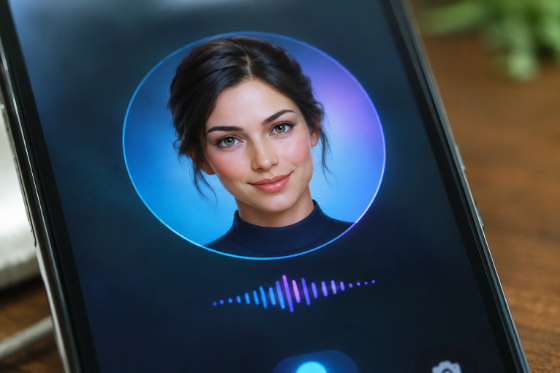
AI avatars can make digital conversations feel more direct, personal, and easier to navigate. A real-time avatar can listen and respond during a live interaction, combining a conversational interface with a visible character, voice, and on-screen presence.
That presence also raises the stakes. People may assume a humanlike face or voice is more capable, caring, or reliable than it truly is. Trustworthy avatar design means creating an experience that is clear about what the system is, what it knows, what it cannot do, and when a person should step in.
Why Trust Matters In AI Avatar Design
A face and voice can make a support tool feel more approachable than a text box. However, an engaging avatar should not blur the line between software and a person. Honest design often builds stronger long-term confidence than an attempt to appear fully human.
For example, a customer-support avatar can begin with a simple statement: “I’m an AI assistant that can help with account and product questions.” That message sets appropriate expectations before the user shares information or relies on an answer.
Start With A Clear User Need
An avatar should solve a defined problem, not exist as a novelty. Start by identifying the audience, setting, task, and outcome that would make the interaction worthwhile. A training guide for new employees, a museum information assistant, or a product-support helper each requires different information, language, and safeguards.
Questions To Ask Before Development
- Who will use the avatar, and what level of technical confidence do they have?
- What problem should it solve, and what information does it need to solve it?
- Which subjects are outside its approved scope?
- When must a human take over?
- How will the team measure a successful interaction?
Choose The Right Level Of Realism
More realism is not automatically better. A simple illustrated guide may feel clear and friendly, while a lifelike avatar may be appropriate for a polished training or hospitality experience. The right choice depends on the purpose, audience, screen size, accessibility needs, and emotional sensitivity of the conversation.
In sensitive settings, a stylized character can reduce the risk that users mistake the system for a person. Design should support comprehension first. The avatar’s appearance, gestures, voice, and tone should make the experience easier to use without implying human judgment, memories, or feelings.
Make Disclosure Simple And Visible
Disclosure should appear before the conversation begins, not only in a privacy policy. Use plain language in the opening message, visible labels, help content, and settings. Explain what the avatar can help with, what it cannot decide, and whether conversations may be stored or reviewed.
- Identify the avatar as AI at the start of the interaction.
- Avoid statements that imply personal experiences or emotions.
- Tell users how to access a person when they need one.
- Use direct consent prompts before collecting sensitive inputs.
Design For Natural Conversation Without False Trust
Natural conversation does not require pretending to be human. Short answers, clear turn-taking, useful follow-up questions, and respectful pacing can make an avatar easier to understand. It should ask for clarification when a question is unclear and offer a visible way to repeat, correct, pause, or end the exchange.
For complex topics, the avatar should use simple language and break instructions into manageable steps. If it is uncertain, it should say so directly rather than filling gaps with a confident guess.
Set Strong Privacy And Consent Rules
Avatar experiences may process typed questions, voice recordings, video input, account details, and conversation history. Collect only what the experience needs for its stated purpose. Teams should define retention periods, deletion options, access controls, and procedures for reviewing third-party tools before launch.
Face and voice data deserve particular care. Get specific permission before using someone’s likeness, define where it may appear, and provide a process for revoking permission when possible. The FTC has warned that AI-enabled voice cloning can create fraud and misuse risks, which makes consent, licensing, and misuse reporting essential safeguards.
Use A Risk Framework Before Launch
A practical review process can prevent predictable failures without turning the project into paperwork. The AI Risk Management Framework provides a useful structure for considering risks throughout the design, deployment, and evaluation of AI systems.
Four Practical Review Areas
- Map: Identify users, data, decisions, intended benefits, and possible harms.
- Measure: Test answer quality, bias, privacy controls, reliability, and accessibility.
- Manage: Add content limits, monitoring, escalation paths, and response controls.
- Govern: Assign accountable owners and schedule post-launch reviews.
Build A Reliable Human Handoff
An AI avatar should never become a dead end. Make the route to human help easy to find and available when the issue is sensitive, urgent, complex, or outside the avatar’s role. Escalation is especially important for legal, medical, and financial questions, repeated failed attempts to answer, signs of distress, and direct requests for a person.
Test The Experience With Real Users
Before expanding access, run a small pilot with realistic conversations. Include users with different devices, connection speeds, ages, accents, and accessibility needs. Record unclear answers, delays, failed handoffs, and moments when people misunderstand the avatar’s identity or limits.
Ask participants whether they completed their task, understood that the system was AI, and knew how to get human assistance. Repeat this testing after major changes to the model, voice, visual design, or underlying information.
Measure More Than Engagement
Long conversations and high view counts do not prove an avatar is helpful. Use a balanced set of measures, including task completion, correct-answer rates, response delays, repeat-question rates, successful handoffs, reported accessibility barriers, privacy incidents, and user-reported clarity.
Common Mistakes To Avoid
- Making an avatar appear human without clearly identifying it as AI.
- Using a cheerful or casual tone during serious conversations.
- Collecting more personal data than the task requires.
- Giving the avatar access to unnecessary systems or records.
- Removing human support solely to reduce operating costs.
- Launching without a plan for errors, complaints, misuse, or updates.
Conclusion: Make Trust Part Of The Product
A trustworthy AI avatar is defined by more than appearance. It earns confidence through clear disclosure, reliable answers, purposeful data practices, accessible design, tested limits, and a simple path to human help. Teams that treat trust as a product requirement can create digital conversations that feel useful, honest, and responsible.